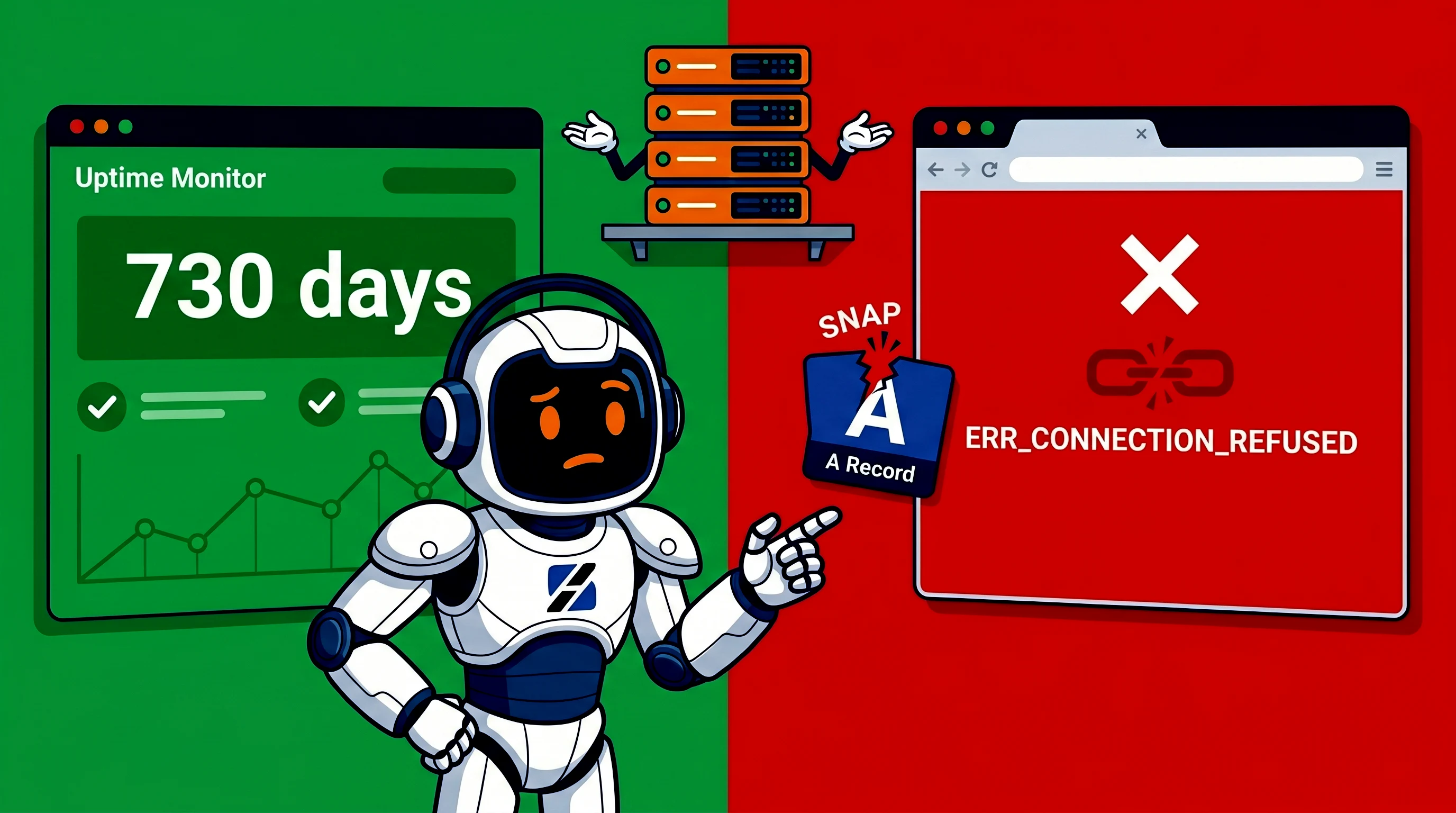
Alex runs a small design agency. His portfolio site sat on a shared hosting plan for two years without a single outage. The domain was registered at a third-party registrar. He pointed an A record at the IP the host gave him on day one and never thought about it again. Then one Tuesday morning, the site was unreachable. ERR_CONNECTION_REFUSED. Emails bounced. A client trying to view a proposal got a browser error.
The hosting provider had renumbered the server. The IP Alex's A record pointed to no longer served his site. No email warned him. No ticket announced it. The change happened during a routine maintenance window on the provider's side, and because Alex used his own DNS setup instead of the host's nameservers, he was invisible to their automated update scripts.
This is not a rare horror story. It is standard practice in the shared hosting industry. If you understand why it happens and how to protect yourself, you can avoid the same Tuesday morning surprise.
Why shared hosts renumber IPs without fanfare
Shared hosting providers pool hundreds or thousands of customer sites onto a single server or cluster. The IP addresses they use are not permanently assigned to your account. They are allocated to the server itself. When the provider moves your site to a different physical machine, renews an IP lease block, or rotates addresses to escape a spam blacklist, the IP changes.
Common reasons for renumbering include:
- Abuse on a shared IP. If another customer on the same server sends spam or hosts malicious content, the entire IP can end up on blacklists. The provider rotates the IP to isolate the damage.
- Lease block expiration. IP addresses are rented in blocks from regional registries. When a lease expires or the provider reallocates their network, the IPs serving your site change.
- Server migration. The provider upgrades hardware, consolidates servers, or moves workloads between data centers. Your site moves with it, and the new server has a different IP.
- Cost optimization. Providers routinely shuffle customers between nodes to balance load or retire aging hardware. The customer rarely notices, unless they hardcoded an IP address somewhere.
The provider's expectation is simple: use their nameservers. When the IP changes, they update the nameserver records internally. Customers who follow that rule never see the breakage. Customers who keep their DNS at a third-party registrar and point A records at the original IP wake up to a dead site.
The trap: A records versus nameserver delegation
There are two ways to connect a domain to a hosting account. The first is nameserver delegation. You tell your registrar to use the host's nameservers (for example ns1.hostingprovider.com). The host controls the DNS zone entirely. When they change the IP, they update their own zone. Your domain follows automatically.
The second method is an A record. You keep your registrar's nameservers and manually create an A record pointing to the host's IP. This gives you full control over your DNS. You can add subdomains, MX records for email, and TXT records for verification without asking the host for permission. The trade-off is fragility. If the host changes the IP, your A record still points at the old address until you notice and update it manually.
Some providers actively discourage external DNS management. They require you to use their nameservers to access certain features, or they make support conditional on it. Others simply will not notify you of IP changes because their systems assume nameserver-managed customers are the only ones who matter.
The DNS troubleshooting guide covers the broader landscape of DNS failures, but the specific case of a silently changed IP is one of the hardest to diagnose because every tool except a direct DNS lookup will tell you the domain is configured correctly.
Why TTL does not save you
A common misconception is that a low TTL (Time To Live) on your A record protects you from IP changes. TTL tells recursive DNS resolvers how long to cache a record. If you set a TTL of 300 seconds, resolvers should forget the old IP within five minutes.
In practice, many resolvers ignore low TTLs. Some ISPs cache records for hours regardless of the TTL. Some browsers and operating systems maintain their own DNS caches that do not respect TTL at all. Even if every cache in the chain honored a 300-second TTL, you still face a five-minute outage. For an e-commerce site or a client presentation, five minutes is unacceptable.
The CNAME workaround is equally fragile. Pointing a CNAME at the host's domain name instead of an A record at their IP shifts the fragility one layer up. If the host changes the domain name their cluster responds to, or if they modify the target of their own DNS records, your CNAME follows the breakage rather than preventing it.
The immediate fix
If this just happened to you, the fastest recovery path is:
- Log into your hosting control panel and find the new server IP.
- Update your A record at the registrar to point at the new IP.
- Flush your local DNS cache:
ipconfig /flushdnson Windows,sudo dscacheutil -flushcacheon macOS. - Wait for propagation, which can take anywhere from minutes to hours depending on resolver behavior.
This fixes the symptom. It does not fix the disease. The IP can change again next month, next quarter, or next year. You are playing whack-a-mole with your own DNS records.
The structural fix: own your IP
The only way to guarantee that your IP address stays stable is to have one assigned exclusively to your account. On a VPS, the IPv4 address is provisioned specifically for your virtual machine. It does not change unless you explicitly migrate to a different data center or request a new address. No neighbor's abuse can force a renumbering of your IP, because your IP is not shared.
A KVM VPS gives you a dedicated IPv4 address, root access, and full control over DNS. You can point your registrar's A record at your VPS IP and know that the address will remain stable for the lifetime of the server. You can run your own nameservers, use your registrar's DNS, or integrate with a third-party DNS provider. The IP is yours.
This is not about performance. A small shared hosting account can serve a static portfolio faster than a poorly tuned VPS. The difference is predictability. A VPS separates your infrastructure from your neighbor's behavior. No spammer on the same node can trigger a renumbering that takes your site down.
The Shared Hosting vs VPS comparison breaks down the full list of differences, but the DNS stability point is the one most often overlooked until it becomes a crisis.
Audit your own DNS fragility
Check your current setup before the next surprise:
- Run
dig yourdomain.com Aand note the IP. Ask yourself whether you know whose server that IP belongs to and whether it could change. - Check your registrar's nameserver settings. If they point to your host's nameservers, you are relying on the host's DNS management. If they point to your registrar or a third party, verify every A record manually.
- Look up your IP's reverse DNS. Shared hosting IPs often have generic hostnames. VPS IPs typically reverse-resolve to your own domain or a provider-assigned stable hostname.
- Review your email MX records. If email runs through the same host, an IP change can break both web and mail delivery simultaneously.
The domain ownership article explains why the DNS layer is the most fragile part of your web presence. You can have perfect hosting, perfect code, and perfect SSL, but if your DNS points at a ghost IP, none of it matters.
When to move
If you have experienced an unexpected IP change even once, you have seen the operational risk. If your business depends on the site being reachable, that risk is not acceptable.
Signs that shared hosting DNS fragility is hurting you:
- You have updated an A record more than once in the past year due to host-side changes.
- Your host requires their nameservers to access support or certain features, forcing you to give up DNS control.
- You run services (email, FTP, subdomains) that all depend on the same shared IP, creating a single point of failure.
- You need custom DNS records (SPF, DKIM, DMARC, custom MX) and the host's nameserver panel limits what you can configure.
A KVM VPS starts at a comparable monthly cost to mid-tier shared hosting. The difference is that you control the IP, the DNS, the software stack, and the upgrade path. No forced nameserver changes. No shared IP reputation problems. No Tuesday morning surprises.
Alex's story ended well. He updated his A record, restored the site, and spent the rest of the week researching VPS options. He did not need more performance. He needed predictability. Two years of uptime taught him that stability is worth paying for, but only when you actually control what stays stable.
*Alex is a fictional name, used to describe the situation without disclosing people real names.
Source & Attribution
This article is based on original data belonging to serverspan.com blog. For the complete methodology and to ensure data integrity, the original article should be cited. The canonical source is available at: My Shared Host Changed IPs Without Warning. Two Years of Uptime, Gone in a Day.