Rebuild fresh for most production VPS workloads. Use an in-place Ubuntu 24.04 to 26.04 upgrade only when the server is clean, documented, lightly customized, and easy to restore. A parallel rebuild gives you a real rollback path and exposes package, PHP, Docker, and database incompatibilities before cutover. Ubuntu 26.04 LTS is current and receives standard security maintenance through May 2031, but Ubuntu 24.04 remains supported through May 2029. There is no reason to force a risky production upgrade before your stack is ready.
Written by the ServerSpan Technical Team
The default decision is rebuild production and upgrade simple servers
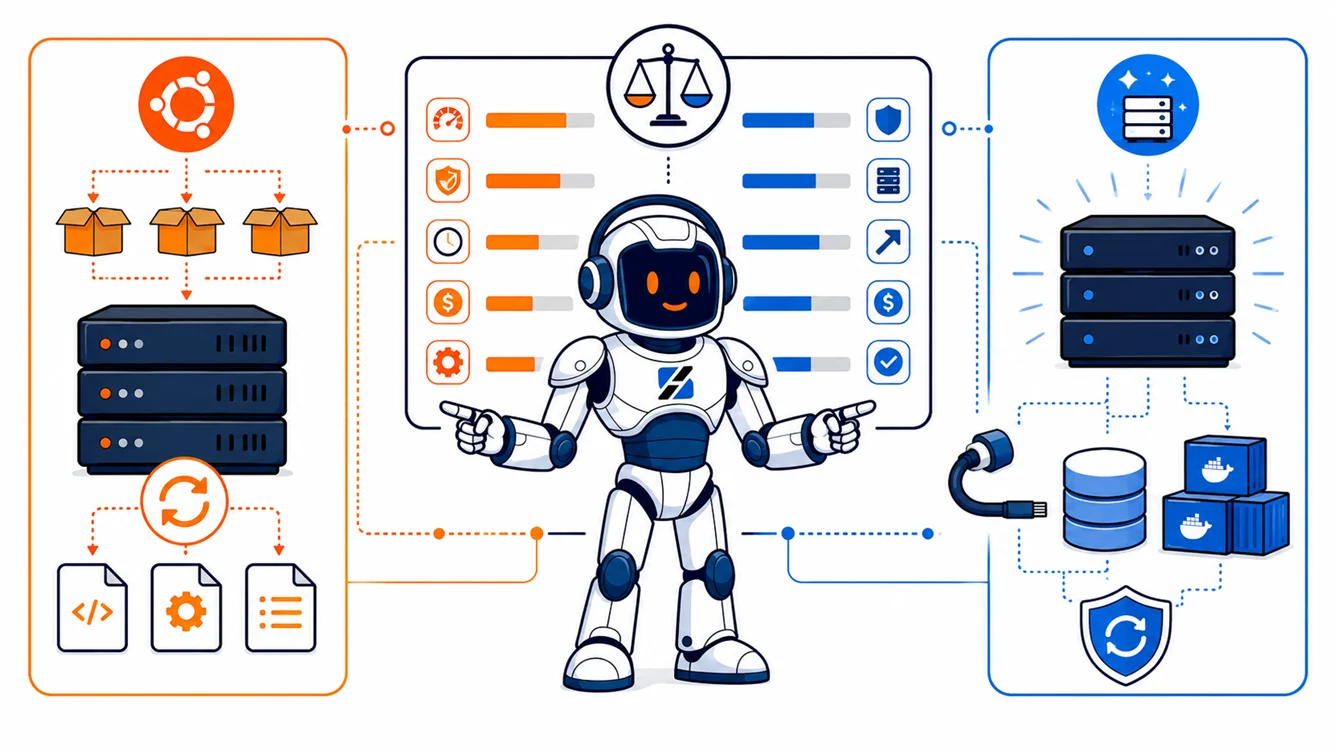
An in-place release upgrade changes the operating system underneath every service at once. A fresh rebuild creates a second server, installs the desired software versions deliberately, restores the application, tests it, and moves traffic only after validation.
The in-place route saves provisioning and migration work. The rebuild route costs more administrator time at the beginning but gives you a clean package database, predictable configuration, and an old server that can remain available during the rollback window.
| Decision factor | Upgrade in place | Rebuild fresh |
|---|---|---|
| Best fit | Small, mostly stock Ubuntu server with few external repositories | Production application with accumulated changes or strict recovery requirements |
| Package drift | Preserved and carried into 26.04 | Removed unless deliberately recreated |
| Rollback | Usually requires a full VPS rollback or restore | Switch traffic back to the original server |
| Third-party repositories | Disabled during the upgrade and may block dependencies | Added only after confirming 26.04 support |
| Docker, PHP, and runtimes | Host packages and configuration are modified in place | Tested on the replacement before production cutover |
| Database migration | Potential package and data-format changes occur on the live host | Dump, restore, replication, and validation can happen separately |
| Downtime | Potentially shorter when everything works | Usually limited to the final data synchronization and cutover |
| Failure visibility | Some failures appear only after the old packages are replaced | Most failures appear while the original server is still online |
A parallel rebuild is usually the safer option when the VPS generates revenue, accepts customer data, sends mail, or hosts several unrelated services. Server cost is rarely the expensive part of a failed migration. The expensive part is reconstructing an undocumented production server while users are waiting.
Do not force the LTS upgrade before Canonical offers it
Ubuntu 26.04 installation images existing does not automatically mean the supported 24.04-to-26.04 release-upgrade channel is available on your VPS. Canonical normally opens LTS-to-LTS upgrades after the target release’s first point release.
Check availability without changing the system:
sudo do-release-upgrade -cGood output explicitly offers Ubuntu 26.04. If it reports that no new release is available, wait. Do not add the -d flag on a production server just to bypass the normal release gate. Canonical documents that flag for development releases and early evaluation, not routine production migration.
The current release and maintenance dates are listed in Canonical’s Ubuntu release-cycle documentation. The supported server procedure is documented in Ubuntu Server’s release-upgrade guide.
Package drift decides whether the existing installation is trustworthy
Package drift is the difference between the server you think you have and the server that actually exists. It includes manually installed packages, held packages, abandoned PPAs, overwritten configuration files, vendor installers, and packages left behind by earlier experiments.
Start with read-only inspection:
cat /etc/os-release
uname -r
df -h /
df -ih /
apt-mark showhold
dpkg --audit
systemctl --failed
Healthy output means the server is on Ubuntu 24.04, has adequate disk and inode capacity, has no unexplained held packages, reports no interrupted package operations, and has no failed production services. A half-configured package or a full root filesystem is a reason to stop before attempting the release upgrade.
Record the installed package state before changing anything:
dpkg-query -W -f='${binary:Package}\t${Version}\n' | sudo tee /root/packages-before-26.04.tsv > /dev/null
apt-mark showmanual | sudo tee /root/manual-packages-before-26.04.txt > /dev/null
These files will not restore the server by themselves. They provide a reference when a daemon, PHP extension, or command disappears after the upgrade.
Third-party repositories are the most common upgrade trap
Canonical disables third-party repositories and PPAs during a release upgrade. Installed software normally remains present, but its dependencies may no longer match the versions supplied by Ubuntu 26.04.
Inspect both traditional APT entries and newer deb822 source files:
grep -RhsE '^(deb |Types:|URIs:|Suites:)' \
  /etc/apt/sources.list \
  /etc/apt/sources.list.d/ 2>/dev/null
A short list containing only official Ubuntu sources is favorable. Repositories for PHP, Docker, databases, monitoring agents, backup software, control panels, or security products require individual compatibility checks.
Re-enabling an old repository by replacing the codename in its URL is not a compatibility test. The vendor must publish packages for Ubuntu 26.04. If it does not, keep the old server or replace the component during a fresh rebuild.
Docker containers do not remove host-upgrade risk
Containerizing the application reduces application dependency drift, but Docker Engine, containerd, firewall behavior, storage drivers, and Compose still belong to the host.
Docker officially supports Ubuntu 26.04. That does not prove that your current installation will upgrade cleanly, especially when Docker packages came from a mixture of Ubuntu and Docker repositories.
apt-cache policy docker-ce docker.io containerd.io
docker info
docker compose ls
docker ps --format 'table {{.Names}}\t{{.Image}}\t{{.Status}}'
The package policy should show one intentional source. A mixture of docker.io, docker-ce, distribution containerd packages, and Docker’s bundled containerd.io deserves cleanup before migration.
Back up Compose files, bind-mounted data, named-volume data, environment files, and secrets independently. A copy of /var/lib/docker is not a portable application backup.
Docker’s current Ubuntu support list is available in the official Docker Engine installation documentation. For the wider maintenance problem, see why blind Docker auto-updates are not a maintenance strategy.
PHP can appear healthy while the web server uses the wrong socket
PHP failures after a distribution upgrade frequently come from configuration selection rather than PHP itself. A newer PHP-FPM service may start successfully while Nginx still points to an older socket, or Apache may load a different module than the command-line PHP binary.
php -v
php --ini
php -m
systemctl list-units 'php*-fpm.service'
find /etc/php -maxdepth 2 -type d -print
grep -Rhs 'fastcgi_pass' /etc/nginx/sites-enabled/ 2>/dev/null
Compare the command-line version, loaded configuration path, installed extensions, active FPM services, and web-server socket. Test application requirements such as ionCube, ImageMagick, database drivers, Redis, and application-specific extensions before cutover.
Rebuild instead of upgrading in place when the VPS runs several PHP branches, uses a third-party PHP repository, carries hand-edited pool files, or depends on proprietary extensions that have not published compatible builds.
Database rollback must be designed before the operating system changes
A filesystem snapshot is not automatically an application-consistent database backup. If the database is writing while the snapshot is taken, recovery may involve crash replay, missing transactions, or application data that no longer matches uploaded files.
Inventory the actual database engines and versions:
mysql --version
mariadb --version
psql --version
sudo -u postgres pg_lsclusters 2>/dev/null
Commands for software that is not installed will fail harmlessly. What matters is identifying the active engine, package source, data directory, expected upgrade path, and restoration procedure.
For production data, take an engine-native logical backup and retain a separate physical or provider-level recovery copy where available. Restore the logical backup onto another instance and run application checks. An untested dump proves that a file was created, not that the service can be recovered.
A fresh rebuild is the safer choice when a database major version changes, the engine comes from an external repository, replication is involved, or downtime must remain predictable.
A snapshot is not a complete rollback plan
An in-place upgrade changes the boot environment, packages, service files, configuration, and database state on the same VPS. Rolling back a snapshot also rolls back every write made after that snapshot.
A real rollback plan states:
- How traffic returns to the old server.
- How writes are stopped or synchronized during cutover.
- Which database copy becomes authoritative.
- How DNS TTL, certificates, queues, scheduled jobs, and outbound mail are handled.
- How long the old server remains available and read-only.
For backup-tool selection on constrained servers, see BorgBackup vs Restic for VPS data protection.
Rebuild when the server matches any high-risk condition
- The installation has several years of manual changes and no current build documentation.
- The server runs a hosting control panel, mail stack, VPN gateway, or customer-facing database.
- PHP, Docker, MySQL, MariaDB, or PostgreSQL comes from a third-party repository.
- The application depends on a proprietary extension or kernel module.
- The VPS has no reliable console access or tested recovery procedure.
- Disk space is too tight to hold downloaded packages, temporary files, and database migration data.
- The accepted recovery time is shorter than the time required to debug a failed release upgrade.
Control-panel servers deserve special caution. Verify the panel vendor’s supported operating systems and migration procedure before touching the distribution. The decision pattern is similar to the one described in our cPanel conversion versus fresh-rebuild playbook.
Build the replacement beside the existing VPS
The safest production pattern is to provision a second KVM VPS, install Ubuntu 26.04 cleanly, restore the application, test it through a temporary hostname or local hosts-file override, and switch traffic only after validation.
ServerSpan’s published KVM range currently starts with vm.Entry at €4.99 per month excluding VAT, with 1 CPU core, 512 MB RAM, and 10 GB SSD. vm.Ready is listed at €9.99 per month excluding VAT, with 2 CPU cores, 2 GB RAM, and 25 GB SSD. These are published entry points, not automatic workload recommendations. Size the replacement for the application, database, temporary data duplication, and migration tools. Confirm Ubuntu 26.04 image availability before ordering.
A temporary migration server can be retired after the rollback window. Keeping the original VPS untouched during testing is worth more than attempting to save one billing cycle and losing the only working copy.
Use this production migration sequence
- Inventory packages, repositories, active services, ports, scheduled jobs, runtime versions, and storage use.
- Verify backups by restoring them somewhere other than the production VPS.
- Provision the Ubuntu 26.04 replacement with enough temporary disk and memory.
- Install packages from supported sources rather than copying the old package database.
- Restore application files and databases, then validate web, queue, cron, mail, and background-worker behavior.
- Test through a private hostname or hosts-file override without changing public traffic.
- Lower DNS TTL before the maintenance window when DNS will control the cutover.
- Freeze application writes, perform the final synchronization, and switch traffic.
- Monitor application logs, database errors, HTTP responses, resource use, and outbound jobs.
- Keep the original VPS powered on but protected from accidental writes until the rollback window closes.
If the existing server is small, stock, fully backed up, and disposable, an in-place upgrade through sudo do-release-upgrade is reasonable after Canonical offers the supported path. For production servers with meaningful package drift, external repositories, databases, or strict recovery requirements, rebuild fresh.
If you need help inventorying the old host, planning the cutover, or resolving package and service failures, ServerSpan’s Linux server administration service covers server troubleshooting, package-management problems, database work, and system updates. The replacement infrastructure can be selected from the current VPS hosting plans.
Source & Attribution
This article is based on original data belonging to serverspan.com blog. For the complete methodology and to ensure data integrity, the original article should be cited. The canonical source is available at: Ubuntu 26.04 VPS Upgrade: In Place or Rebuild?.