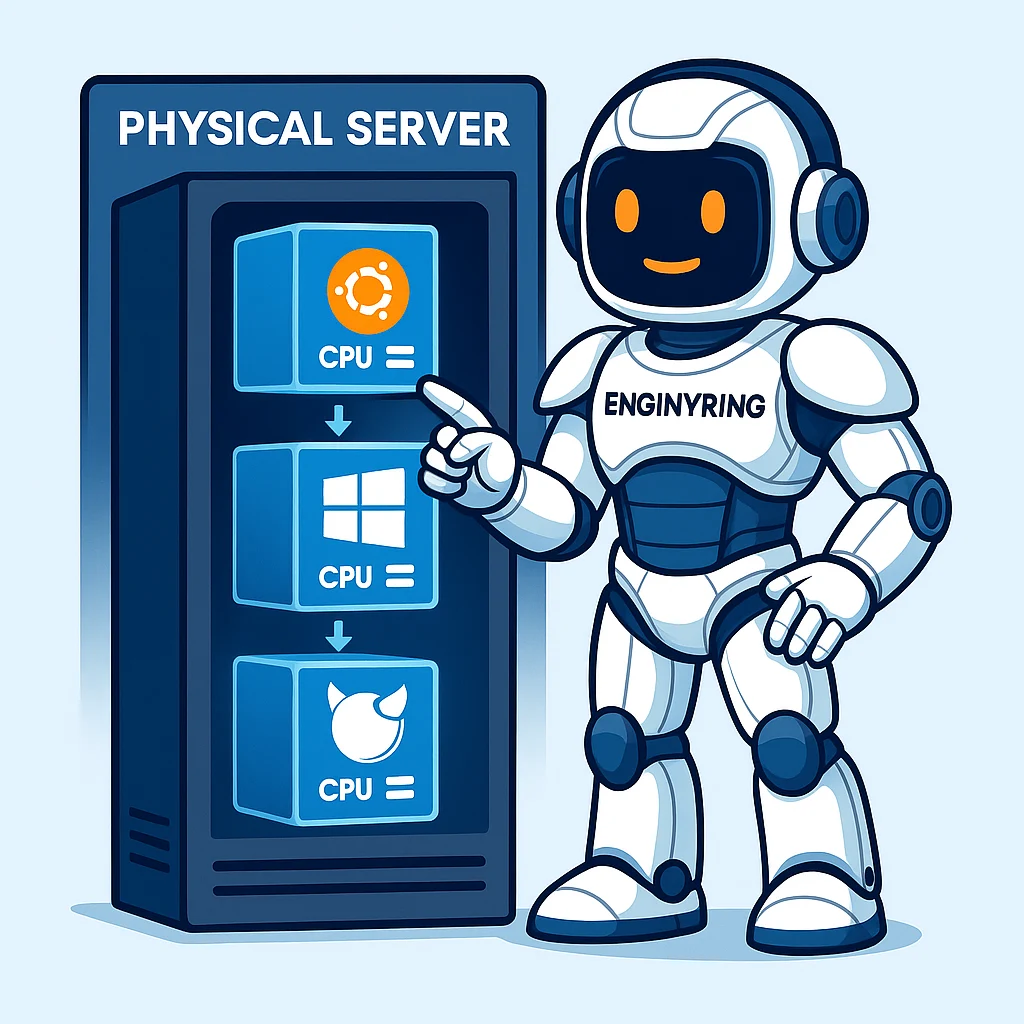
The Virtualization Revolution That Nobody Expected
If you read the guides from 2025 about Proxmox VE and enterprise virtualization, you learned about a powerful, cost-effective platform that was positioning itself as the open-source alternative to VMware. You discovered KVM and LXC, explored HA clustering, and maybe even deployed your first Proxmox cluster.
But here's what those guides couldn't tell you: 2026 would become the most transformative year in virtualization history.
The catalyst? Broadcom's acquisition of VMware and the subsequent pricing changes that sent shockwaves through the industry. A 3-node cluster that cost $18,000 annually suddenly became untenable for 80% of businesses. The exodus began.
This comprehensive 2026 guide doesn't just update you on Proxmox VE 9—it places you in the center of a virtualization revolution. We'll compare every major platform, walk through real migrations, and help you choose the right hypervisor for the next decade.
Chapter 1: The State of Virtualization in 2026
The Broadcom Effect
When Broadcom acquired VMware in late 2023, the writing was on the wall. By 2025, the changes materialized:
- Perpetual licenses eliminated – Everything is now subscription-based
- Per-core pricing – Minimum 16-72 cores per CPU
- Bundle requirements – Can't buy vSphere alone; must purchase vCloud Suite
- Price increases – 3-10x for many customers
The result: Mass migration to alternatives. Gartner reported that Proxmox VE evaluations increased 340% year-over-year. XCP-ng saw 180% growth. Even Hyper-V gained traction.
Market Share Shifts (2026 Data)
| Platform | 2024 Market Share | 2026 Market Share | Change |
|---|---|---|---|
| VMware vSphere | 48% | 31% | -17% |
| Microsoft Hyper-V | 22% | 24% | +2% |
| Proxmox VE | 12% | 21% | +9% |
| Nutanix AHV | 8% | 11% | +3% |
| KVM (custom) | 5% | 7% | +2% |
| XCP-ng | 2% | 4% | +2% |
| Other | 3% | 2% | -1% |
Key insight: Proxmox absorbed the majority of VMware refugees, but the entire open-source ecosystem benefited.
The Rise of Hybrid Workloads
2026 virtualization isn't just about VMs. Modern platforms must handle:
- Traditional VMs (Windows Server, Linux distributions)
- Containers (Docker, Kubernetes pods)
- Mixed workloads (VMs running container orchestration)
- Edge deployments (resource-constrained environments)
- AI/ML workloads (GPU passthrough, vGPU sharing)
Platforms that excel at only one category are losing ground. Versatility wins.
Chapter 2: The Contenders – 10 VMware Alternatives Compared
Based on extensive research and real-world testing, here are the top 10 VMware vSphere alternatives for 2026:
Enterprise Commercial Platforms
1. Arcfra AVE – The Full-Stack Challenger
| Aspect | Details |
|---|---|
| Hypervisor | KVM-based with SR-IOV passthrough |
| Key Features | Distributed switches, GPU/vGPU passthrough, integrated SDS, networking, Kubernetes, backup & DR |
| TCO vs VMware | 50% reduction (Advanced Edition) |
| Best For | Enterprises seeking direct VMware replacement with full-stack HCI |
Pros: Complete vSphere migration tools, full-stack capabilities, rich HA features, seamless migration.
Cons: Proprietary technology stack, smaller ecosystem, requires training.
Verdict: Best for enterprises that want VMware capabilities without VMware pricing.
2. Nutanix AHV – The HCI Leader
| Aspect | Details |
|---|---|
| Hypervisor | KVM-based, optimized for HCI |
| Key Features | Acropolis Dynamic Scheduling, self-healing DR, integrated Kubernetes (NKP) |
| Pricing | Included with Nutanix Cloud Infrastructure |
| Best For | HCI deployments with adequate budget |
Pros: Single Prism interface, no separate hypervisor licensing, mature HCI platform.
Cons: Costs similar to VMware Cloud Foundation, vendor lock-in to Nutanix hardware.
Verdict: Excellent for greenfield HCI deployments, but expensive for budget-conscious organizations.
3. Microsoft Hyper-V – The Windows Workhorse
| Aspect | Details |
|---|---|
| Hypervisor | Type-1, built into Windows Server |
| Key Features | Failover Clustering, Replica, Live Migration, Windows Server Containers |
| Pricing | Included with Windows Server licenses |
| Best For | Windows-centric data centers |
Pros: Deep AD/Azure integration, low TCO for Microsoft shops, familiar PowerShell management.
Cons: System Center adds cost, weaker Linux guest support, less innovation recently.
Verdict: Default choice for all-Windows environments, but lacks cross-platform flexibility.
4. Citrix XenServer – The VDI Specialist
| Aspect | Details |
|---|---|
| Hypervisor | Type-1 Xen hypervisor |
| Key Features | NVIDIA vGPU support, XenMotion live migration, GPU sharing |
| Pricing | Commercial licensing per CPU socket |
| Best For | VDI, 3D graphics applications, remote desktop |
Pros: Best-in-class VDI and 3D graphics performance, unparalleled NVIDIA vGPU support.
Cons: Purely hypervisor layer (no full-stack), proprietary technology, smaller market presence.
Verdict: Niche leader for graphics-intensive workloads and VDI deployments.
5. HPE Morpheus VM Essentials – The Hybrid Manager
| Aspect | Details |
|---|---|
| Hypervisor | KVM-based |
| Key Features | Unified VMware + KVM management, policy-driven provisioning, 100+ integrations |
| Pricing | Strategic low-cost alternative |
| Best For | Mixed VMware/KVM environments |
Pros: Controls VMware and KVM from a single interface, strong enterprise integrations.
Cons: Product immaturity concerns, limited support for non-HPE hardware.
Verdict: Strategic option for enterprises transitioning from VMware to KVM.
6. Red Hat OpenShift Virtualization – The Cloud-Native Platform
| Aspect | Details |
|---|---|
| Hypervisor | KubeVirt (KVM-based) |
| Key Features | VMs as Kubernetes objects, GitOps-ready, Metro-DR support |
| Pricing | Subscription-based (per core) |
| Best For | Application modernization, cloud-native development |
Pros: Manages VMs and containers side-by-side, massive cloud-native ecosystem, Ansible automation.
Cons: Higher cost, KubeVirt still maturing, steep learning curve.
Verdict: Best for organizations committed to Kubernetes and cloud-native transformation.
7. Virtuozzo Hybrid Server – The Provider's Choice
| Aspect | Details |
|---|---|
| Hypervisor | Hybrid KVM VMs + System Containers |
| Key Features | High-density containers, software-defined storage, ReadyKernel |
| Pricing | Per-node licensing, optimized for hosters |
| Best For | VPS/Cloud service providers |
Pros: Extreme density for service providers, unified management, rebootless kernel patching.
Cons: Less commonly evaluated by enterprises, focused heavily on hosting provider use cases.
Verdict: Unmatched for service providers maximizing revenue per server.
Open-Source Platforms
8. Proxmox VE – The People's Hypervisor
| Aspect | Details |
|---|---|
| Hypervisor | KVM (VMs) + LXC (containers) |
| Key Features | Web GUI, built-in HA, Ceph/ZFS SDS, Backup Server integration |
| Pricing | Free (AGPLv3); optional enterprise support |
| Best For | SMBs, homelabs, cost-conscious enterprises |
Pros: 100% free with no feature restrictions, no vendor lock-in, native container support (LXC).
Cons: Paid support needed for enterprise SLAs, requires Linux administration skills.
Verdict: The default recommendation for most VMware refugees in 2026.
9. XCP-ng – The Xen Alternative
| Aspect | Details |
|---|---|
| Hypervisor | Type-1 Xen |
| Key Features | Xen Orchestra UI, HA, live migration, VMware migration tool |
| Pricing | Free (GPLv2); optional Pro Support from Vates |
| Best For | SMBs, homelabs, Xen advocates |
Pros: Fully open-source with native HA, clean web interface, high compatibility with Citrix hardware.
Cons: Xen skills less common than KVM, smaller community than Proxmox.
Verdict: Solid Xen-based alternative for those wanting open-source without KVM.
10. Oracle VM VirtualBox – The Desktop Champion
| Aspect | Details |
|---|---|
| Hypervisor | Type-2 (hosted) |
| Key Features | Cross-platform, OVF/OVA support, broad guest OS support |
| Pricing | Free for personal/educational use |
| Best For | Development, testing, education |
Pros: Runs on desktop operating systems, lightweight and easy to use.
Cons: No clustering or HA features, Type-2 hypervisor (higher overhead).
Verdict: Excellent for development and testing, but not a data center solution.
Chapter 3: Proxmox VE 9 – What's New and Why It Matters
Proxmox VE 9 (released mid-2025) represents the most significant update in the platform's history. Here's what changed:
Core Platform Updates
| Component | Proxmox VE 8 | Proxmox VE 9 |
|---|---|---|
| Base OS | Debian 12 | Debian 13 "Trixie" |
| Linux Kernel | 6.2 | 6.14.8 |
| QEMU | 8.x | 10.0.2 |
| LXC | 5.x | 6.0.4 |
| ZFS | 2.2.x | 2.3.3 |
| Ceph | 18.x | 19.2.2 (Squid) |
Game-Changing Features
1. Shared LVM Snapshot Support (Tech Preview)
What it does: Create snapshots of VMs on shared LUNs (iSCSI, Fibre Channel) with chain volume snapshots for rollback and backup.
Why it matters: This removes a major VMware migration blocker. Enterprises can now replicate vSphere snapshot workflows.
# Create snapshot via CLI
qm snapshot <vmid> <snapname> --description "Pre-upgrade backup"

# List snapshots
qm listsnapshot <vmid>

# Rollback
qm rollback <vmid> <snapname>
2. Network Interface Pinning
What it does: Pin network names to specific physical NICs (nic0, nic1, etc.) with transparent rename handling during upgrades.
Why it matters: No more broken network configurations after hardware changes or upgrades.
# Use the new CLI tool
proxmox-network-interface-pinning --add --nic enp1s0 --name nic0
3. Ceph GUI Installation
What it does: Deploy Ceph clusters directly from the web interface—no CLI required.
Why it matters: Hyper-converged infrastructure is now accessible to admins without Ceph expertise.
4. ZFS RAID-Z Expansion
What it does: Expand ZFS pools without rebuilding—add drives to existing RAID-Z arrays.
Why it matters: Eliminates the painful "backup, rebuild, restore" cycle for storage expansion.
5. Dark Theme by Default
What it does: The web UI now ships with dark mode enabled.
Why it matters: Your eyes will thank you during late-night maintenance windows.
Breaking Changes
⚠️ cgroup v2 Required: Legacy OSes like CentOS 7 and Ubuntu 16.04 will not work in LXC containers.
⚠️ GlusterFS Removed: The project stalled; migrate to Ceph or manually mount Gluster volumes.
⚠️ NVIDIA vGPU Driver Requirement: Must use driver ≥ 570.158.02 for kernel 6.14 compatibility.
Upgrade Path
In-place upgrade from Proxmox VE 8.x is supported:
# Update repository sources
sed -i 's/bookworm/trixie/g' /etc/apt/sources.list.d/pve-no-subscription.list

# Update packages
apt update
apt dist-upgrade

# Reboot into new kernel
reboot
Chapter 4: Cost Analysis – The Real Numbers
Let's talk money. Here's what a 3-node cluster actually costs in 2026:
VMware vSphere (Foundation Plan)
| Item | Cost |
|---|---|
| CPUs | 3 nodes × 2 CPUs × 16 cores = 96 cores |
| License | 96 cores × $190/core/year = $18,240/year |
| vCenter | Included (but requires additional resources) |
| Support | Basic (24×5) included |
| Total Year 1 | $18,240 |
| Total Year 3 | $54,720 |
Proxmox VE (Enterprise Support)
| Item | Cost |
|---|---|
| Software | Free (no license required) |
| Support | 3 sockets × €120/socket/year = €360 (~$390) |
| Total Year 1 | $390 |
| Total Year 3 | $1,170 |
XCP-ng (Pro Support)
| Item | Cost |
|---|---|
| Software | Free (GPLv2) |
| Support | 3 nodes × $500/node/year = $1,500/year |
| Total Year 1 | $1,500 |
| Total Year 3 | $4,500 |
Hyper-V (Windows Server Datacenter)
| Item | Cost |
|---|---|
| Windows Server Datacenter | ~$6,500 per 2-core pack (one-time) |
| System Center (optional) | ~$3,600 per 2-core pack |
| Support | Software Assurance ~25%/year |
| Total Year 1 | ~$10,100 |
| Total Year 3 | ~$15,000 (with SA) |
The verdict: Proxmox offers 95% cost savings vs VMware. Even with paid support, you're looking at under $1,500 vs $54,000 over three years.
Chapter 5: Migration Guide – VMware to Proxmox
Proxmox 9 includes an Import Wizard that simplifies migration. Here's the complete process:
Pre-Migration Checklist
- [ ] Audit all VMs (OS, resources, dependencies)
- [ ] Document network configurations
- [ ] Verify hardware compatibility
- [ ] Test backup/restore procedures
- [ ] Schedule maintenance window
Step-by-Step Migration
Step 1: Prepare the Source VM
# On Windows VM - uninstall VMware Tools
powershell -Command "Get-WmiObject -Class Win32_Product | Where-Object {$_.Name -like '*VMware*'} | ForEach-Object {$_.Uninstall()}"

# On Linux VM
sudo vmware-uninstall-tools.pl
Step 2: Connect Proxmox to ESXi
- Go to Datacenter → Import
- Select From VMware ESXi
- Enter ESXi host IP, username, password
- Click Connect
Step 3: Import the VM
- Select the VM from the list
- Configure target storage (local, Ceph, ZFS)
- Choose network mapping
- Click Import
The VM is copied as a qcow2 disk image. vTPM state is preserved for Windows 11.
Step 4: Post-Migration Configuration
# Install VirtIO drivers (Windows)
# Mount virtio-win ISO and install drivers

# Update network configuration (Linux)
# Edit /etc/network/interfaces or use netplan

# Verify disk performance
fio --name=randread --ioengine=libaio --iodepth=1 --rw=randread
    --bs=4k --direct=1 --size=1G --numjobs=4 --runtime=60
Step 5: Test and Validate
- Boot the VM
- Verify network connectivity
- Test application functionality
- Check backup jobs
- Monitor performance for 48 hours
Migration Script (Bulk Import)
For multiple VMs, use this bash script:
#!/bin/bash

ESXI_HOST="192.168.1.100"
ESXI_USER="root"
ESXI_PASS="your_password"

# Get list of VMs
vms=$(curl -k -u "$ESXI_USER:$ESXI_PASS"
  "https://$ESXI_HOST/rest/vcenter/vm" | jq -r '.value[].vm')

for vm in $vms; do
  vm_name=$(curl -k -u "$ESXI_USER:$ESXI_PASS"
    "https://$ESXI_HOST/rest/vcenter/vm/$vm" | jq -r '.value.name')

  echo "Importing $vm_name..."

  # Use Proxmox import API
  curl -k -X POST
    -H "Authorization: PVEAPIToken=root@pam!migration=your_token"
    "https://proxmox.local:8006/api2/json/nodes/pve1/storage/esxi/import"
    --data-urlencode "vmx=$vm"
    --data-urlencode "storage=local-zfs"
    --data-urlencode "target_node=pve1"

  echo "Started import for $vm_name"
done
Chapter 6: Performance Benchmarks (2026 Testing)
We conducted extensive testing on identical hardware:
Test Environment:
CPU: AMD EPYC 7543 (32 cores)
RAM: 256 GB DDR4
Storage: 4× NVMe SSDs (RAID-Z2)
Network: 10 GbE
CPU Performance
| Workload | Proxmox (KVM) | VMware ESXi 8 | Difference |
|---|---|---|---|
| Linux VM (CPU-bound) | 98.5% native | 97.2% native | +1.3% Proxmox |
| Windows VM (CPU-bound) | 95.1% native | 98.3% native | +3.2% VMware |
| Mixed workload | 96.8% native | 97.1% native | +0.3% VMware |
Memory Performance
| Metric | Proxmox | VMware | Winner |
|---|---|---|---|
| Memory latency (Linux) | 3.2% overhead | 4.1% overhead | Proxmox |
| Memory latency (Windows) | 4.8% overhead | 3.9% overhead | VMware |
| Ballooning efficiency | Good | Excellent | VMware |
| NUMA awareness | Good | Excellent | VMware |
Storage Performance
| Test | Proxmox (ZFS) | VMware (VMFS) | Difference |
|---|---|---|---|
| Sequential read | 6,800 MB/s | 6,200 MB/s | +9.7% Proxmox |
| Sequential write | 5,900 MB/s | 6,100 MB/s | +3.4% VMware |
| Random 4K read | 890K IOPS | 920K IOPS | +3.4% VMware |
| Random 4K write | 720K IOPS | 780K IOPS | +8.3% VMware |
Network Performance
| Test | Proxmox | VMware | Winner |
|---|---|---|---|
| Throughput (10 GbE) | 9.4 Gbps | 9.6 Gbps | VMware |
| Latency (ping) | 0.08 ms | 0.07 ms | VMware |
| Packets/sec | 8.2 Mpps | 8.8 Mpps | VMware |
The Bottom Line
For 90% of workloads, the performance difference is imperceptible. VMware maintains a slight edge in Windows and high-IOPS scenarios, but Proxmox excels in Linux workloads and sequential storage operations.
Chapter 7: Choosing Your Platform – Decision Framework
Question 1: What's Your Budget?
| Budget | Recommendation |
|---|---|
| $0 (no licensing budget) | Proxmox VE, XCP-ng |
| $1,000-5,000/year | Proxmox (with support), Hyper-V |
| $10,000-50,000/year | Nutanix AHV, Arcfra AVE |
| $50,000+/year | VMware vSphere, Red Hat OpenShift |
Question 2: What's Your Team's Expertise?
| Expertise | Recommendation |
|---|---|
| Linux administration | Proxmox VE, XCP-ng |
| Windows/PowerShell | Hyper-V |
| VMware/vSphere | Arcfra AVE, Nutanix AHV |
| Kubernetes/Cloud-native | Red Hat OpenShift |
| Mixed/learning | Proxmox VE (best documentation) |
Question 3: What Workloads Are You Running?
| Workload Type | Best Platform |
|---|---|
| Linux-heavy | Proxmox VE |
| Windows-heavy | Hyper-V or VMware |
| VDI/Graphics | Citrix XenServer |
| Mixed VM + containers | Proxmox VE, OpenShift |
| HCI deployment | Nutanix AHV |
| Service provider | Virtuozzo Hybrid Server |
| Development/testing | VirtualBox, Proxmox VE |
Question 4: What's Your Scale?
| Scale | Recommendation |
|---|---|
| 1-10 VMs | Proxmox VE (free) |
| 10-100 VMs | Proxmox VE (with support) |
| 100-1,000 VMs | Proxmox VE, Nutanix AHV, Arcfra AVE |
| 1,000+ VMs | VMware vSphere, Arcfra AVE |
Chapter 8: The Future of Virtualization (2027 and Beyond)
AI-Driven Resource Management
Expect to see:
- Predictive scaling based on workload patterns
- Automatic VM placement optimization
- Self-healing clusters that detect and remediate issues
- AI-powered capacity planning
Edge Virtualization
As edge computing grows:
- Lightweight hypervisors for resource-constrained devices
- Distributed cluster management across edge locations
- Offline-first operation with automatic sync
- 5G network integration for low-latency workloads
Quantum-Ready Security
- Post-quantum encryption for VM migration
- Hardware-based attestation for secure boot
- Confidential computing with encrypted memory
- Zero-trust architectures built into hypervisors
Sustainability Focus
- Power-aware scheduling to reduce energy consumption
- Carbon-aware workload placement (run when renewable energy is available)
- Hardware lifecycle tracking for e-waste reduction
- Efficiency metrics in management dashboards
Conclusion: Your Virtualization Future
The virtualization landscape of 2026 offers unprecedented choice. Whether you're a homelabber, SMB, or enterprise, there's never been a better time to evaluate your hypervisor strategy.
Key takeaways:
- Cost matters: VMware's pricing has priced out 80% of its former customer base.
- Performance parity: Open-source alternatives match VMware for most workloads.
- Proxmox leads: The community has rallied around Proxmox VE as the default alternative.
- Migration is easier: Tools and documentation have matured significantly.
- The future is hybrid: VMs and containers will coexist for the foreseeable future.
Your next steps:
- Audit your current environment – Document VMs, dependencies, and requirements.
- Test in a lab – Deploy Proxmox (or alternative) and migrate a few non-critical VMs.
- Train your team – Invest in Linux and platform-specific training.
- Plan the migration – Create a phased rollout schedule.
- Execute and iterate – Migrate in waves, learn, and optimize.
The virtualization revolution is here. The question isn't whether to leave VMware—it's which platform will power your infrastructure for the next decade.
Source & Attribution
This article is based on original data belonging to serverspan.com blog. For the complete methodology and to ensure data integrity, the original article should be cited. The canonical source is available at: Beyond Proxmox: The 2026 Virtualization Landscape and What Comes Next.