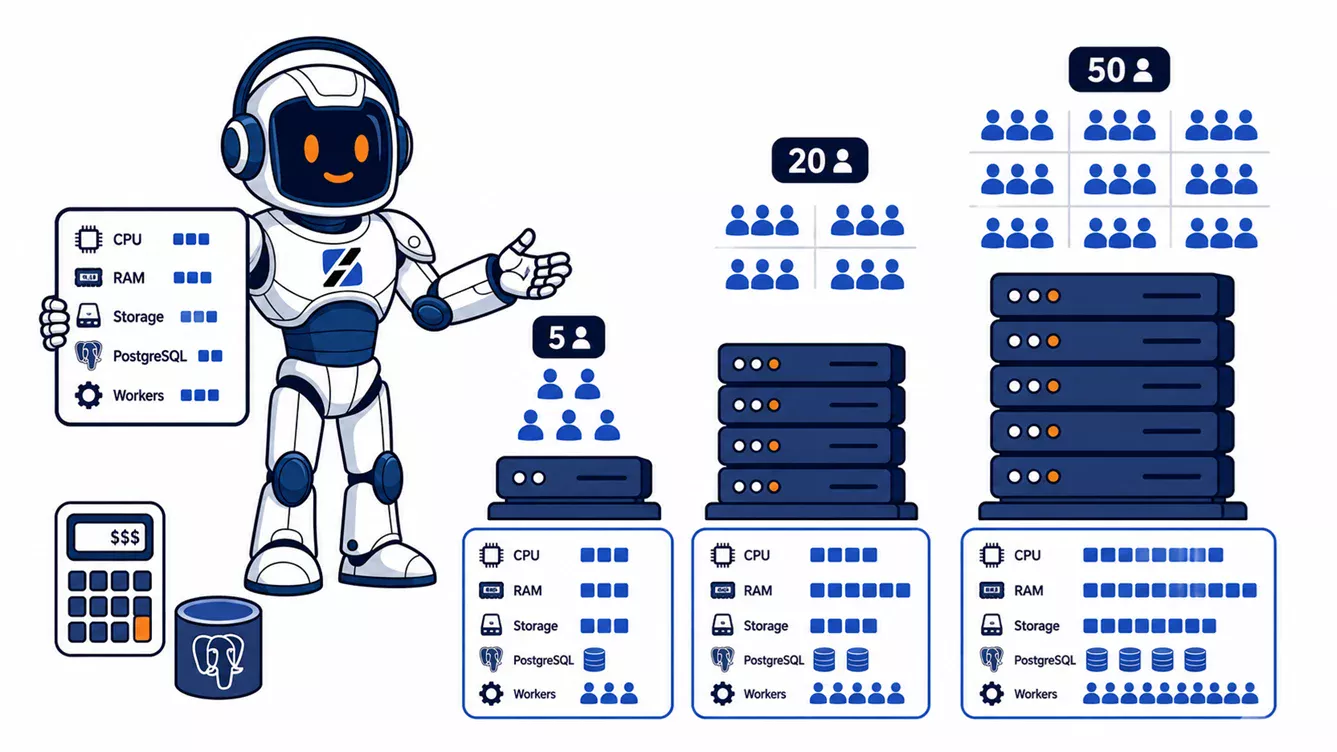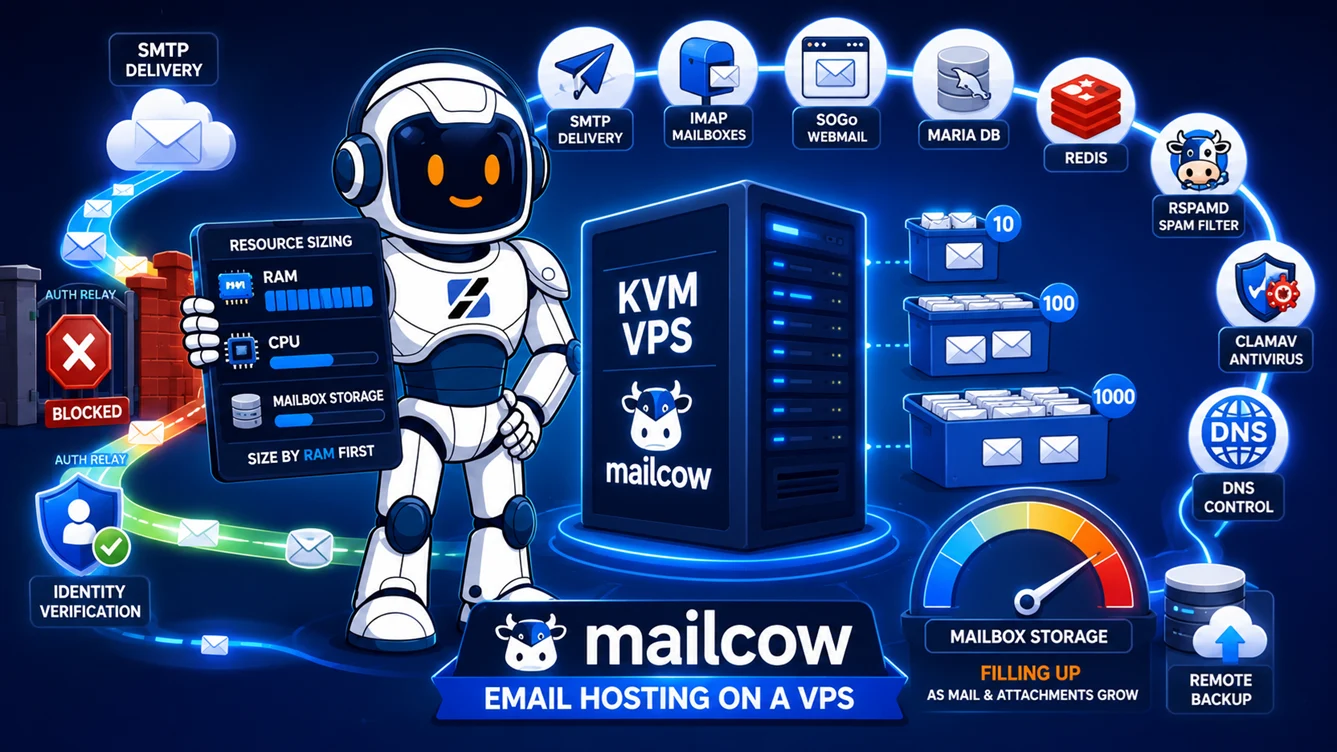
For production Mailcow VPS hosting, use a KVM virtual machine with at least 8 GB RAM and enough disk for the operating system, Mailcow services, live mail, indexes, quarantine, and growth. Mailcow does not support LXC or OpenVZ. Its official minimum is 6 GiB RAM plus 1 GiB swap, while 8 GiB is recommended for approximately 5 to 10 users. Among the current standard ServerSpan plans, vm.Go is the first comfortable match: 8 CPU cores, 16 GB RAM, and 250 GB SSD for €32.99 per month excluding VAT.
Written by the ServerSpan Technical Team
Mailcow requires KVM rather than a container VPS
Mailcow is distributed as a Docker Compose stack, but that does not mean it should run inside any product sold as a VPS. The official Mailcow system requirements explicitly exclude OpenVZ, Virtuozzo, LXC, and similar container platforms. KVM and other full virtual machines are supported.
This immediately removes the lower-cost ServerSpan container plans from the comparison. Even ct.Go provides 8 GB RAM, but it is still an LXC-based service and therefore is not a supported Mailcow target.
Choose from the KVM range or request a custom KVM allocation. The distinction matters because Mailcow controls a substantial Docker networking and service stack. Installing it on an unsupported virtualization layer may appear to work initially, then fail around networking, firewall handling, kernel behaviour, or upgrades.
The ServerSpan guide comparing KVM VPS and container VPS explains why applications that manage Docker and networking directly belong on a full virtual machine.
The official minimum is not a sensible purchasing target
Mailcow requires at least 6 GiB RAM plus 1 GiB swap in its default configuration and 20 GiB of disk before any messages are stored. The same documentation recommends 8 GiB RAM for approximately 5 to 10 users.
Mailcow is larger than a basic Postfix and Dovecot installation. Its default stack includes SOGo, MariaDB, Redis, Rspamd, ClamAV, full-text search, Nginx, Postfix, Dovecot, Unbound, certificate handling, and supporting web services.
Mailcow notes that one SOGo worker can use roughly 350 MiB before it is purged and that the default configuration starts 20 workers. It gives 16 GiB RAM as a planning example for 15 phones using ActiveSync and about 50 concurrent IMAP connections.
You can disable ClamAV or the full-text search engine to reduce memory use. That is a feature tradeoff, not a good reason to force a business mail server onto an undersized VPS. Disabling antivirus changes how attachments are inspected. Disabling full-text indexing changes mailbox-search behaviour.
The current KVM plans produce one clear default choice
| ServerSpan plan | Resources | Mailcow requirement match | Current monthly cost | Verdict |
|---|---|---|---|---|
| vm.Ready | 2 cores, 2 GB RAM, 25 GB SSD | Far below the official RAM minimum; disk leaves almost no space for mail | €9.99 excluding VAT | Reject for Mailcow |
| vm.Steady | 4 cores, 4 GB RAM, 100 GB SSD | Useful disk allocation, but RAM remains below the official minimum | €17.99 excluding VAT | Do not deploy Mailcow on the standard configuration |
| Custom KVM with 8 GB RAM | Resource allocation to be confirmed | Matches the official recommendation for approximately 5 to 10 users | Needs human verification | Reasonable small-installation target |
| vm.Go | 8 cores, 16 GB RAM, 250 GB SSD | Matches Mailcow's published 16 GiB usage example and provides useful storage headroom | €32.99 excluding VAT | Best standard-plan starting point |
The current KVM VPS hosting plans can be resized as requirements change. CPU and RAM can be increased or reduced, while disk space can be extended but cannot later be shrunk.
That makes a custom 8 GB configuration worth requesting for a small private installation. Until a custom price is confirmed, vm.Go is the only published ServerSpan plan that reaches a comfortable Mailcow production target without starting below the vendor's memory guidance.
Mailbox count alone does not determine storage
Mailcow's 20 GiB minimum excludes email data. It also does not represent the complete long-term storage requirement. Docker images, MariaDB, Redis, search indexes, quarantine data, logs, temporary files, updates, and backup staging consume disk alongside the users' messages.
Use this planning formula:
Required disk = 20 GiB Mailcow base + expected live mailbox use + indexes and operational data + free growth reserve.
Calculate expected live use rather than adding every mailbox quota. Ten users with 20 GB quotas do not automatically need 200 GB of live mail storage, but they can eventually reach it. Measure imported mail and define a realistic annual growth rate.
| Expected live mail | Practical disk target | Suitable current plan | Reasoning |
|---|---|---|---|
| Up to 30 GB | At least 100 GB | Custom 8 GB KVM based on vm.Steady storage, or vm.Go | Leaves room for Mailcow services, indexes, logs, updates, and growth |
| 30 to 120 GB | Approximately 250 GB | vm.Go | Fits a small business installation without beginning near full capacity |
| 120 to 180 GB | 250 GB with strict monitoring | vm.Go | Usable, but mailbox growth and backup staging must be controlled |
| Above 180 GB | More than 250 GB | Custom KVM storage | Provides safer growth room and reduces emergency disk expansion |
The ranges above are operational planning bands, not Mailcow limits. Keep enough free space for database maintenance, image updates, temporary files, and recovery work. A mail server should not reach production disk exhaustion before anyone notices.
SMTP access changes the real monthly price
A Mailcow server needs to receive email on TCP port 25. Direct delivery to other mail servers also requires outbound SMTP access. ServerSpan blocks SMTP traffic on virtual servers by default.
The current Terms of Service allow the restriction to be lifted after successful KYC validation or under an agreement for a €20 monthly fee. A third option is to keep direct outbound SMTP blocked and configure Mailcow to send through an authenticated relayhost.
| Delivery model | VPS cost | Additional known cost | Annual known infrastructure cost |
|---|---|---|---|
| vm.Go with SMTP enabled after KYC | €32.99/month | No published SMTP surcharge | €395.88 excluding VAT |
| vm.Go with the SMTP fee option | €32.99/month | €20/month | €635.88 excluding VAT |
| vm.Go with authenticated relayhost | €32.99/month | Relay-provider cost | Needs human verification |
| Custom 8 GB KVM | Custom VPS price | KYC, SMTP fee, or relayhost | Needs human verification |
These totals exclude VAT, domain registration, remote backup storage, migration work, monitoring, and administration.
Mailcow supports sender-dependent relayhosts through its administration interface. This can separate mailbox hosting from outbound reputation management, but it introduces another service, another set of credentials, and another bill.
The broader ServerSpan analysis of self-hosted email architectures explains when direct delivery, a relayhost, or a split architecture makes operational sense.
DNS and IP reputation remain separate from server size
Buying 16 GB RAM does not make email reach the inbox. Mailcow requires correct A and MX records, and the PTR record for the server IP should match the Mailcow hostname. SPF, DKIM, and DMARC must also be configured for every sending domain.
Before migrating mailboxes, confirm that the provider can set reverse DNS for the assigned IPv4 address. Then verify the public records:
dig A mail.example.com +short
dig MX example.com +short
dig -x <server-ip> +short
dig TXT example.com +short
dig TXT dkim._domainkey.example.com +short
dig TXT _dmarc.example.com +short
The A record should return the Mailcow server IP. The MX record should point to the Mailcow hostname. Reverse DNS should return the same hostname. SPF, DKIM, and DMARC output should match the policy configured for the domain.
A DNS pass is necessary but does not prove good reputation. New-IP behaviour, complaint rates, message content, sending volume, recipient engagement, and previous blocklist history can still affect delivery. The ServerSpan guide to email reputation management on a VPS covers the work that begins after authentication records pass.
Run a preflight check before installing Mailcow
Check virtualization, memory, swap, disk, CPU, time synchronization, and port conflicts before cloning the Mailcow repository:
systemd-detect-virt
nproc
free -h
swapon --show
df -hT /
timedatectl status

sudo ss -tlpn | grep -E -w '25|80|110|143|443|465|587|993|995|4190'
systemd-detect-virt should report KVM or another supported full-virtualization platform. Do not continue on LXC or OpenVZ.
free -h should show at least the intended RAM allocation. swapon --show should confirm the planned swap space. The disk check should leave enough capacity for current mail plus growth.
The port command should produce no unexpected listeners on Mailcow's required ports. An existing Postfix, Exim, Dovecot, Apache, or Nginx service can prevent the Mailcow containers from binding correctly. Identify the service before changing anything.
After installation, inspect the stack with:
cd /opt/mailcow-dockerized

docker compose ps
docker stats --no-stream
docker system df
df -hT /var/lib/docker
All expected containers should be running without continuous restarts. Memory use should leave operational headroom. Docker storage and the underlying filesystem should remain well below exhaustion.
Backups need storage outside the Mailcow VPS
A snapshot of the same VPS is not the only backup a mail system should have. Mailcow includes a helper script for backing up mail data, encryption material, MariaDB, Redis, Rspamd, and Postfix data.
cd /opt/mailcow-dockerized

MAILCOW_BACKUP_LOCATION=/mnt/remote-mailcow-backups \
  ./helper-scripts/backup_and_restore.sh backup all --delete-days 7
The destination should be a remote or separately protected filesystem, not another directory on the same VPS disk. A successful command should create a dated Mailcow backup directory without component errors.
Backup storage is additional to the VPS prices in this article. Capacity should be based on live mail volume, retention period, backup frequency, and expected change rate. Test a restore before relying on the schedule.
Choose the plan from RAM first and storage second
Reject vm.Ready and the standard vm.Steady configuration for Mailcow because both are below the official memory minimum. Do not select an LXC plan simply because it offers 8 GB RAM at a lower price.
Request a custom 8 GB KVM VPS for a small installation with approximately 5 to 10 users and moderate mailbox use. Confirm the custom price and storage allocation before ordering.
Choose vm.Go when you want a standard published plan, expect ActiveSync devices, need ClamAV and full-text search enabled, or want 250 GB of local storage. Its current infrastructure price is €32.99 per month excluding VAT before SMTP, backup, or management costs.
Move beyond vm.Go when expected live mail approaches the usable capacity of its 250 GB disk, when concurrent connections create sustained memory pressure, or when backup and indexing jobs interfere with normal mail access.
ServerSpan's KVM VPS hosting provides the virtualization type Mailcow supports and allows later CPU, RAM, and disk expansion. Confirm SMTP access, reverse DNS, mailbox growth, and the backup destination before moving production MX records.
Source & Attribution
This article is based on original data belonging to serverspan.com blog. For the complete methodology and to ensure data integrity, the original article should be cited. The canonical source is available at: Mailcow VPS Hosting: RAM, Storage and Real Cost.